
The launch of ChatGPT in 2022 revitalized the conversational AI field by demonstrating their potential usefulness. Of course, the popularity of ChatGPT (and similar apps from others) has created a trove of data that enhances subsequent versions – data otherwise difficult to obtain. I’m generally open to sharing my prompts and providing feedback on model performance. However, privacy concerns arise when dealing with sensitive information. Whilst some platforms prioritize privacy preservation (e.g., Microsoft’s business Copilots and Anthropic’s Claude) most do not, creating a quandary.
Meanwhile, the pace of development in conversational AI is staggering. Indeed, there are openly available models that outperform the proprietary ones of a year or two ago, which is very good indeed. But a model is not a chat bot, and even though it is not a lot of code to get something working (e.g. onnxruntime-genai/examples/python on GitHub), it’s not quite as user friendly as you might wish.
Enter LM Studio (https://lmstudio.ai/), which is an app for running models locally, specifically designed to make it easy to try different models. It connects to Hugging Face and so supports most of the conversational AI models out there. It will use beefy hardware if you have it, but will run the smaller models on a laptop, albeit a bit slowly. You can even use local files – just drag and drop. However, it does not do RAG, so no automated query understanding that goes and fetches some potentially relevant data – you will have to do that yourself. But it’s free and everything runs locally, so privacy preserved!
Kudos to the LM Studio team for a great product!
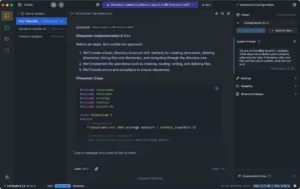
LM Studio example (copyright LM Studio)